
The thesaurus search is particularly helpful
1. … if you do not know which term is used in REALonline for a term you are searching for.
2. … if you want to search for a higher-level category.
The following examples explain what this means in concrete terms and how you can proceed in both cases.
In the first case, for example, you searched for ‘cushions’ in the free text field but did not get any results. Assuming (correctly) that cushions were recorded as image elements in the REALonline data, you can continue your search using the thesaurus provided. To do this, click on the ‘Thesauri’ filter (see image).

This opens the thesaurus facet with all thesauri available in REALonline. If you now click on the arrow in front of Objects/Animals/Plants etc., the subordinate levels of this thesaurus are displayed. Further clicks on the arrows open further subordinate levels. (see image)
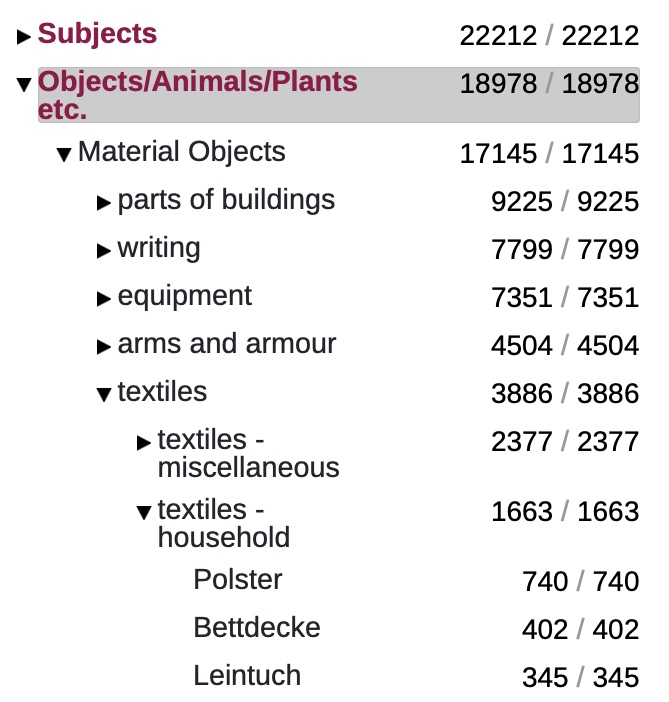
You have now worked your way through Objects/Animals/Plants etc. > Material Objects > Textiles > Textiles – Household and now have a manageable list of terms assigned to the category Textiles – Household. Among them you will also find the term ‘Polster’, which is the more common term for cushions in Austria.
In the second case, you can use a higher-level category for your search. This is helpful if, for example, you want to use REALonline to search for stools depicted in Passion scenes. To do this, you can now open subcategories of the Subject thesaurus. (see image)
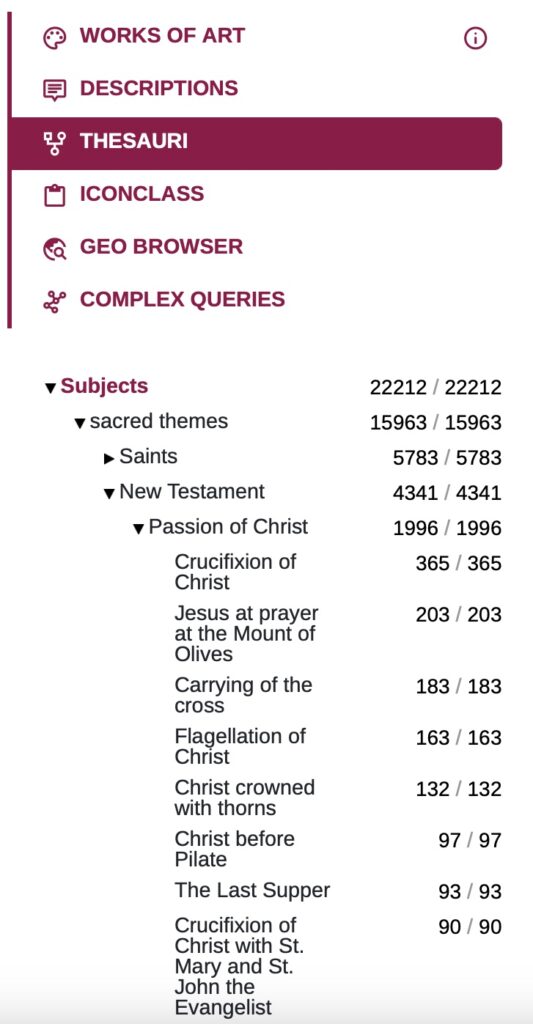
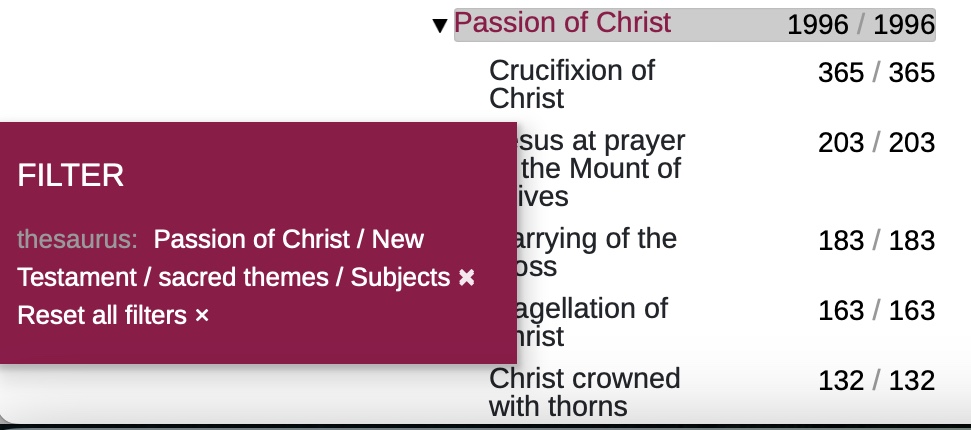
By clicking on the higher-level category ‘Passion of Christ’, you can use this as a search filter. The path you have selected in the thesaurus now appears in the filter box: Thesaurus: Passion of Christ < New Testament < sacred < subjects. (see image)
You can now use the free text field or the Material Objects facet (in the ‘Descriptions’ filter category) to further narrow your search to those works of art that also feature a stool. This search restriction will then also appear in the filter box. (see image)
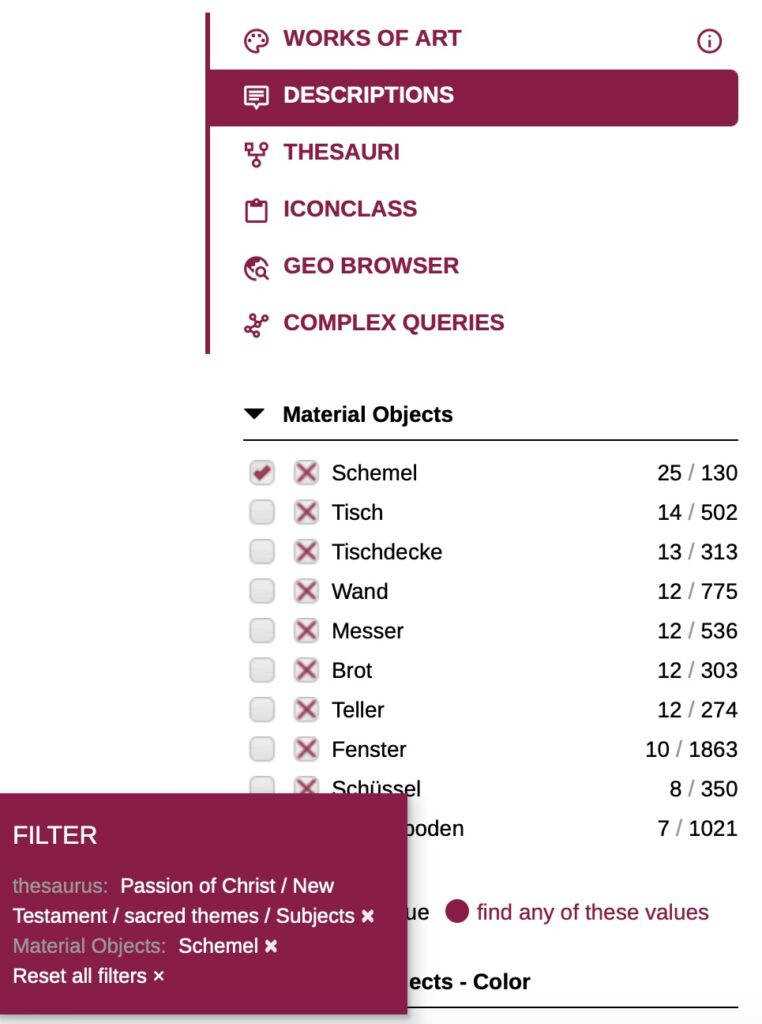
You can remove the search restriction(s) by clicking on the x symbol in the filter box below. Please do not hesitate to contact us if you have any questions.